Backups & crash recovery
Every change is backed up first. A journal restores state if the app dies mid-write. Restore from the Backups page.
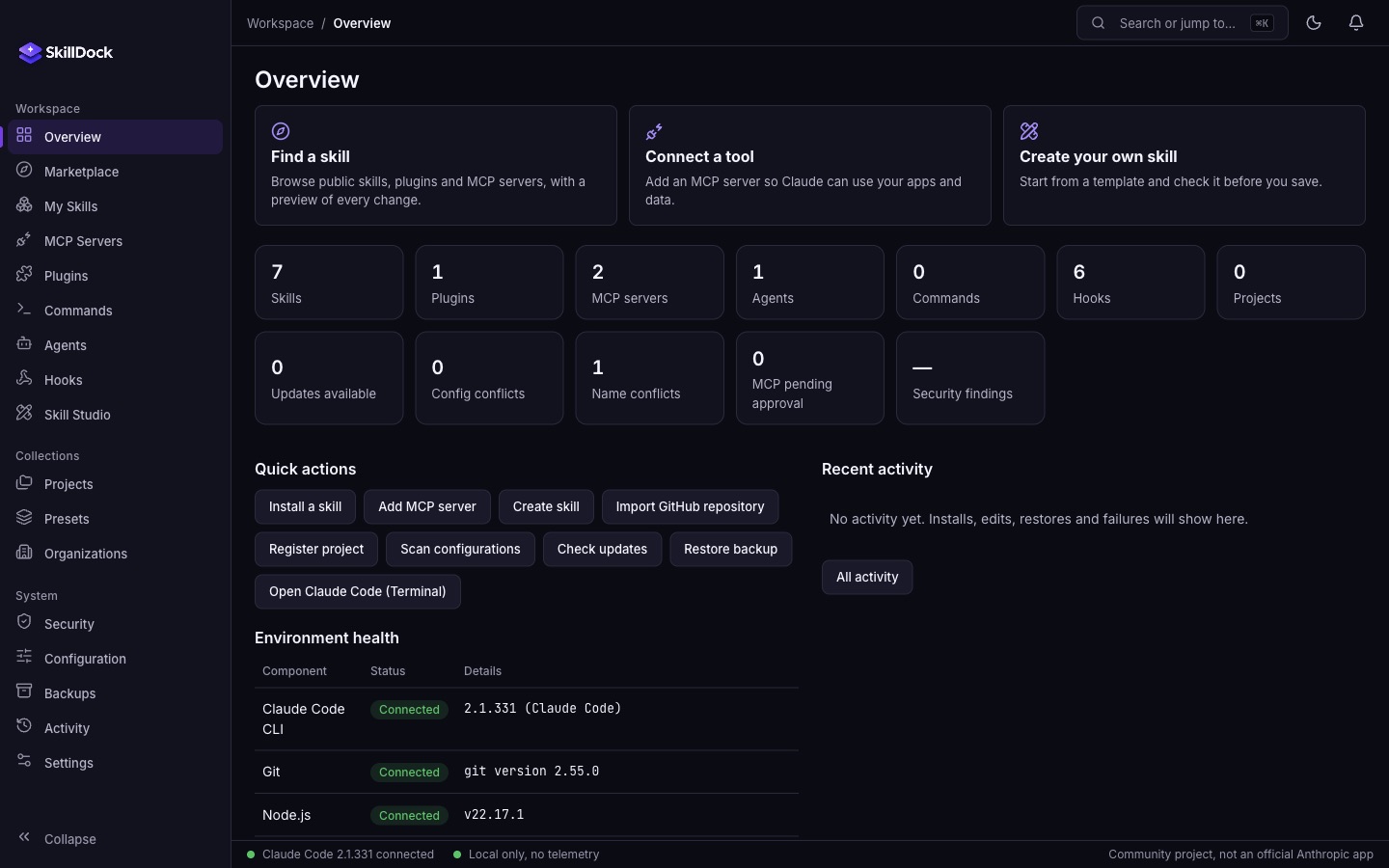
Discover, safely install and manage skills, MCP servers, plugins, agents and hooks, all from one native Mac app. Everything stays on your machine.
Features
Skills pile up across user, project, plugin and managed scopes. SkillDock shows you what Claude actually sees, and changes it only when you say so.
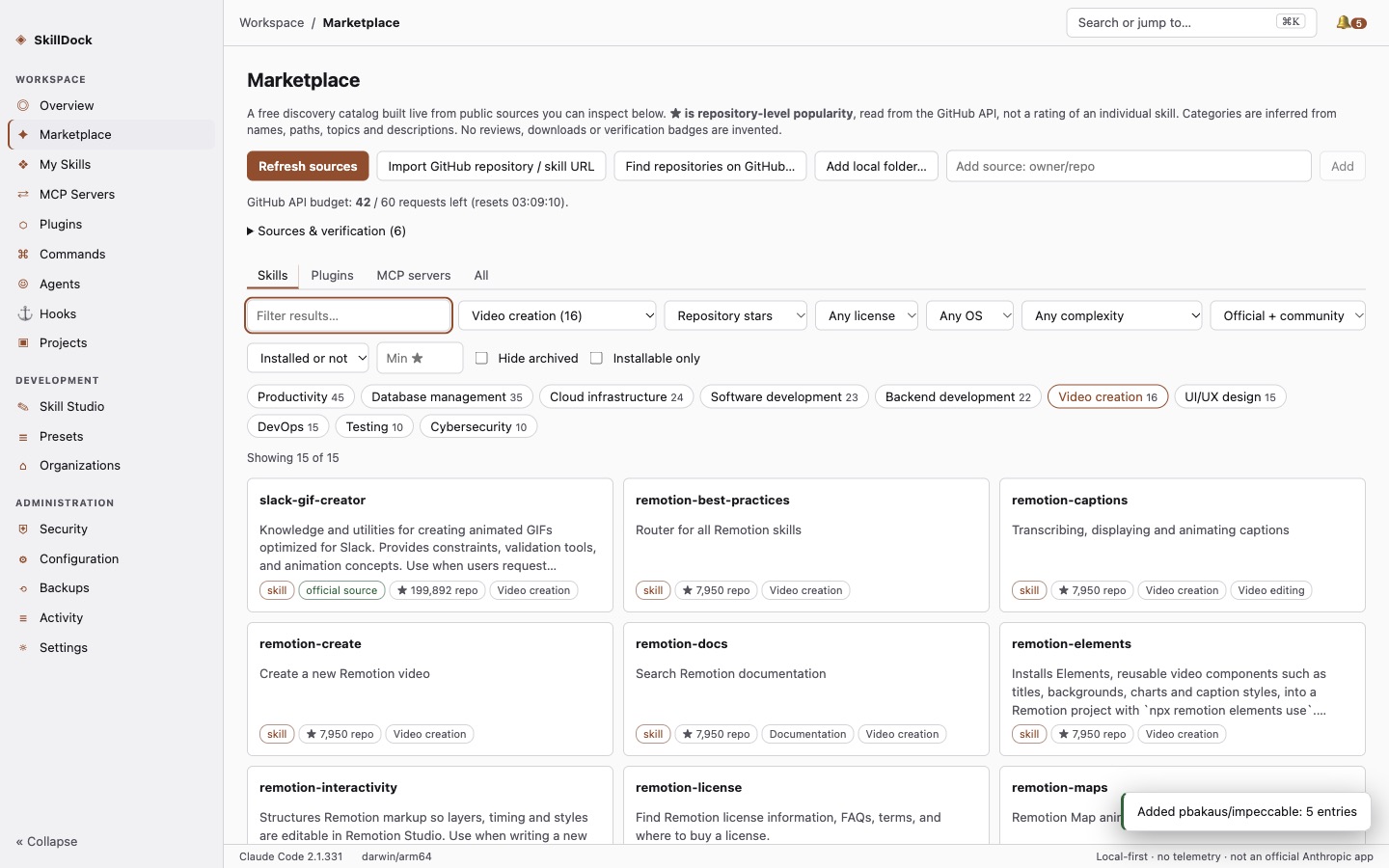
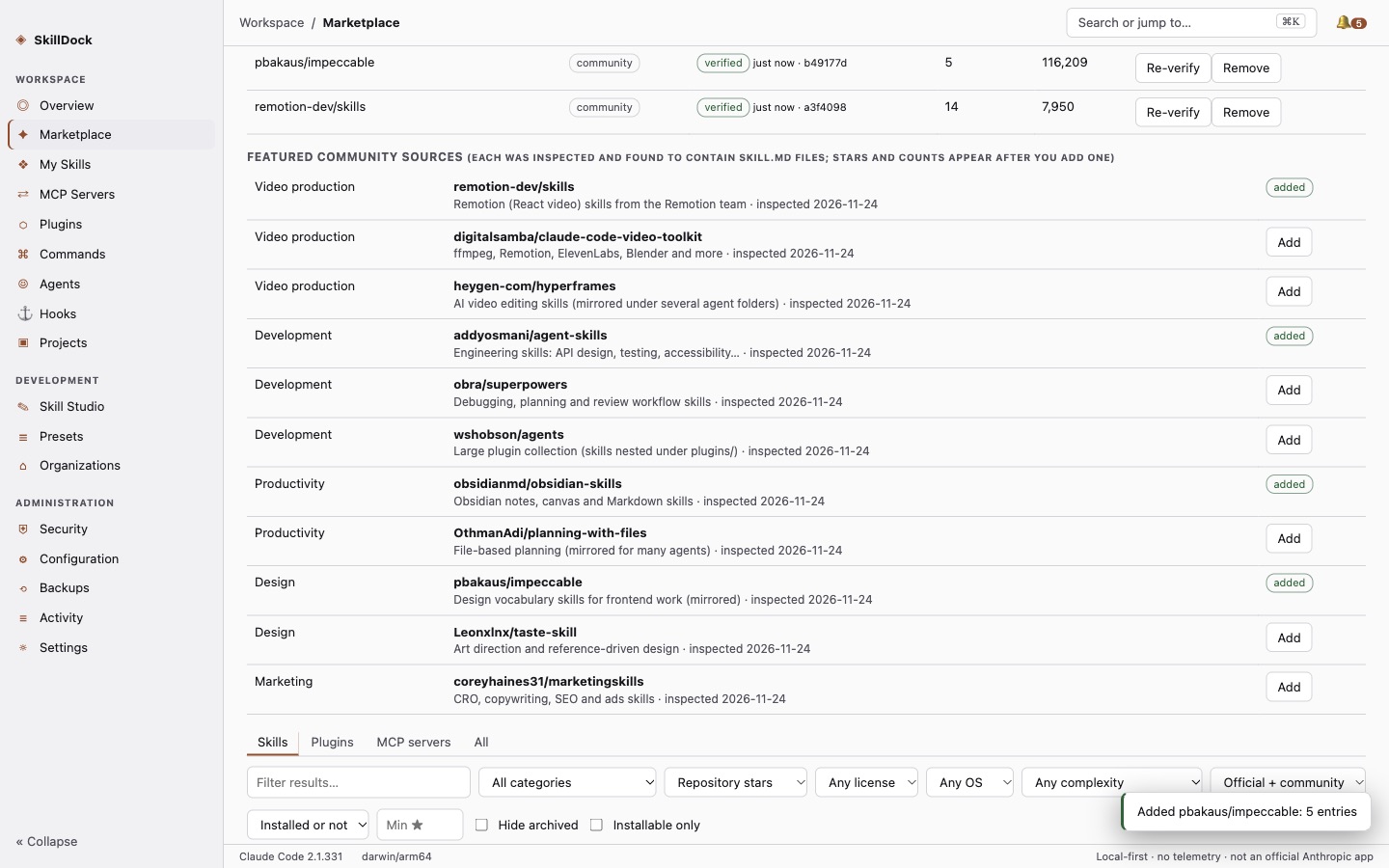
Live discovery from public GitHub repositories, plugin marketplaces and the MCP Registry, with categories that show the evidence behind them.
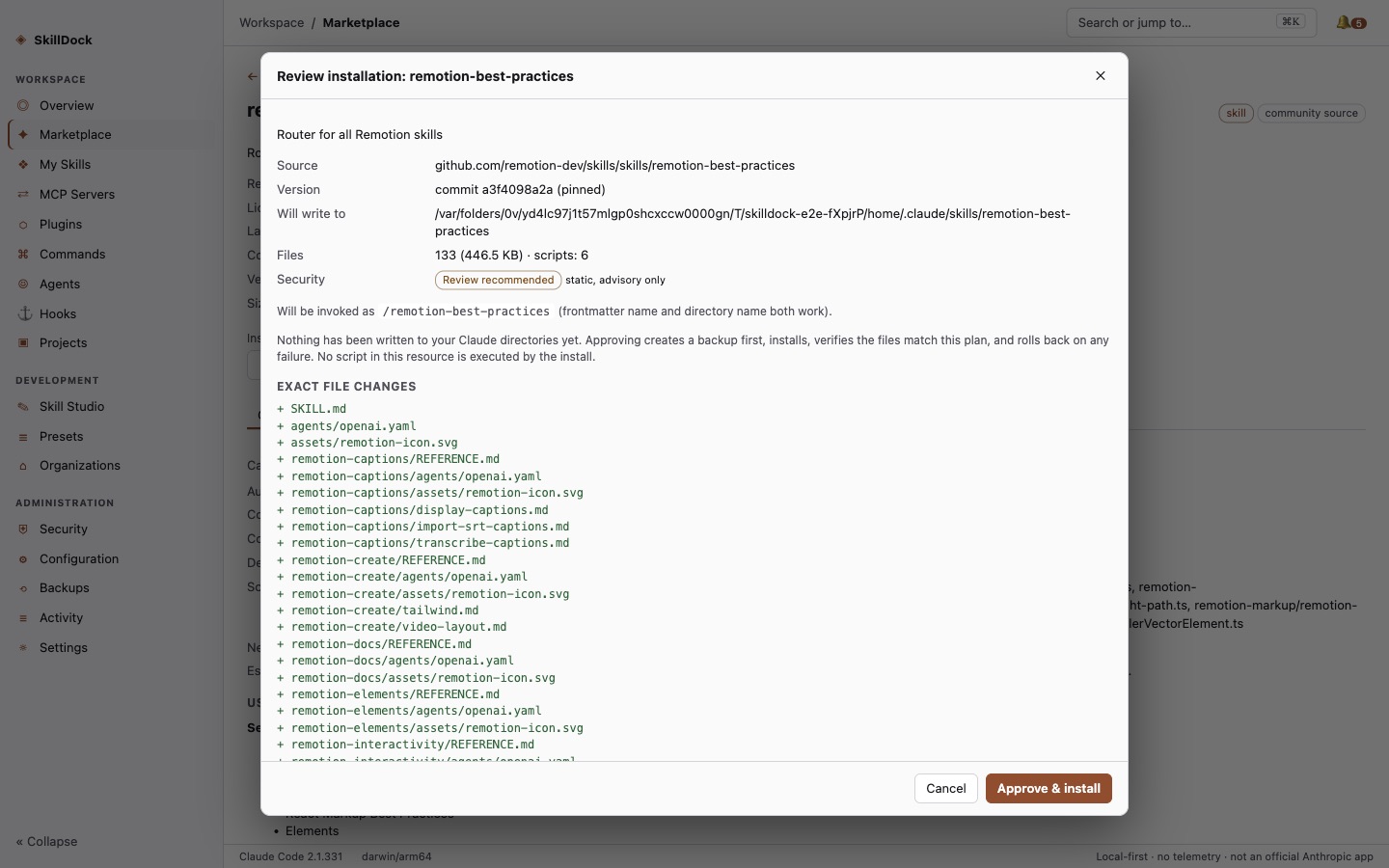
One skill at a time, pinned to a commit. SkillDock stages it outside your Claude folders, inspects it, and shows the exact file changes before anything is written.
Add, edit, import and export servers across user, project and local scopes, with secrets masked in the UI and out of logs.
.mcp.json approval and scope-override state as Claude sees it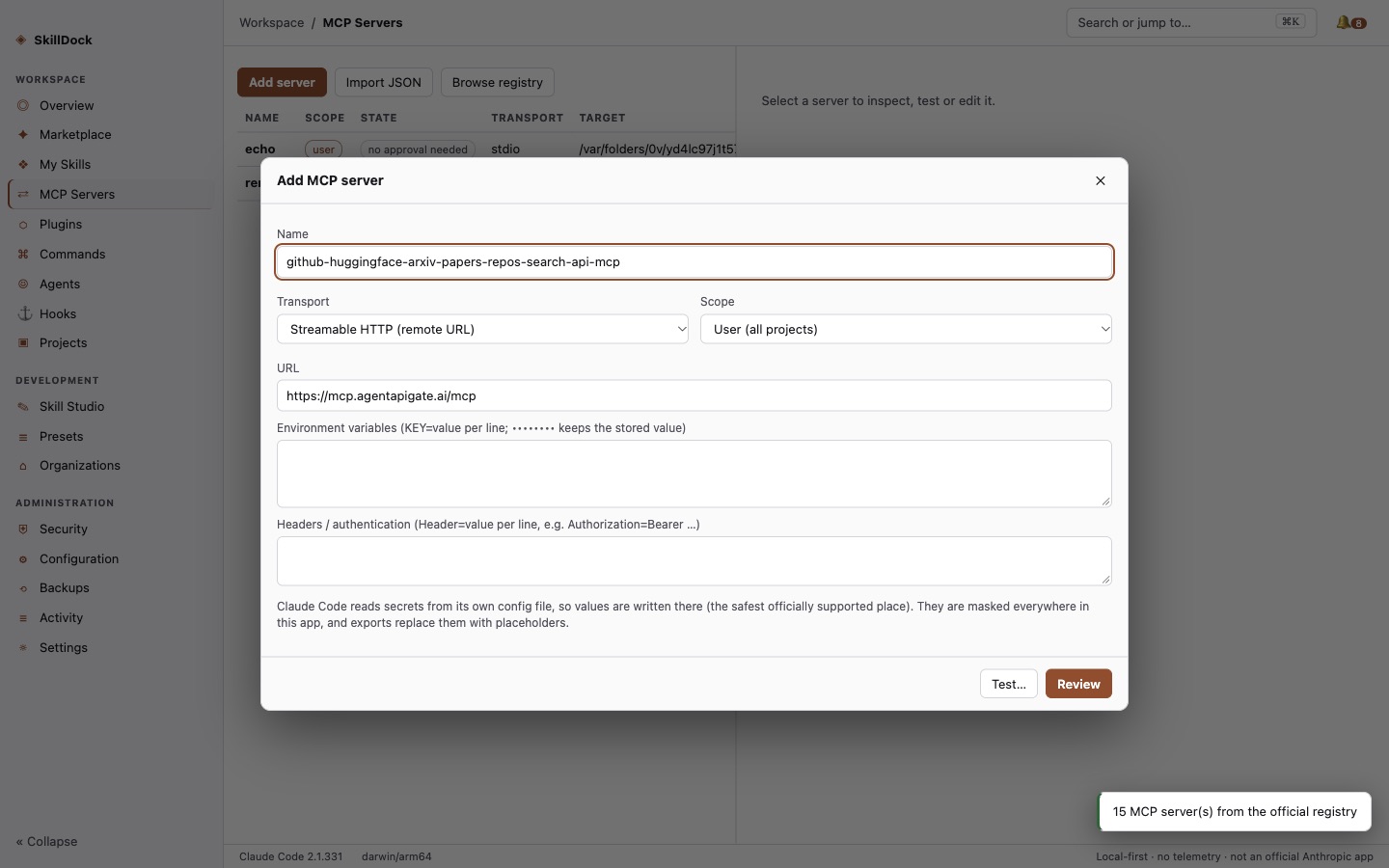
See every hook from settings, plugins, managed policy and frontmatter, and the policy flags that govern them. Spot skills that shadow each other before they confuse Claude.
allowManagedHooksOnly, disableAllHooks and workspace trustskillOverrides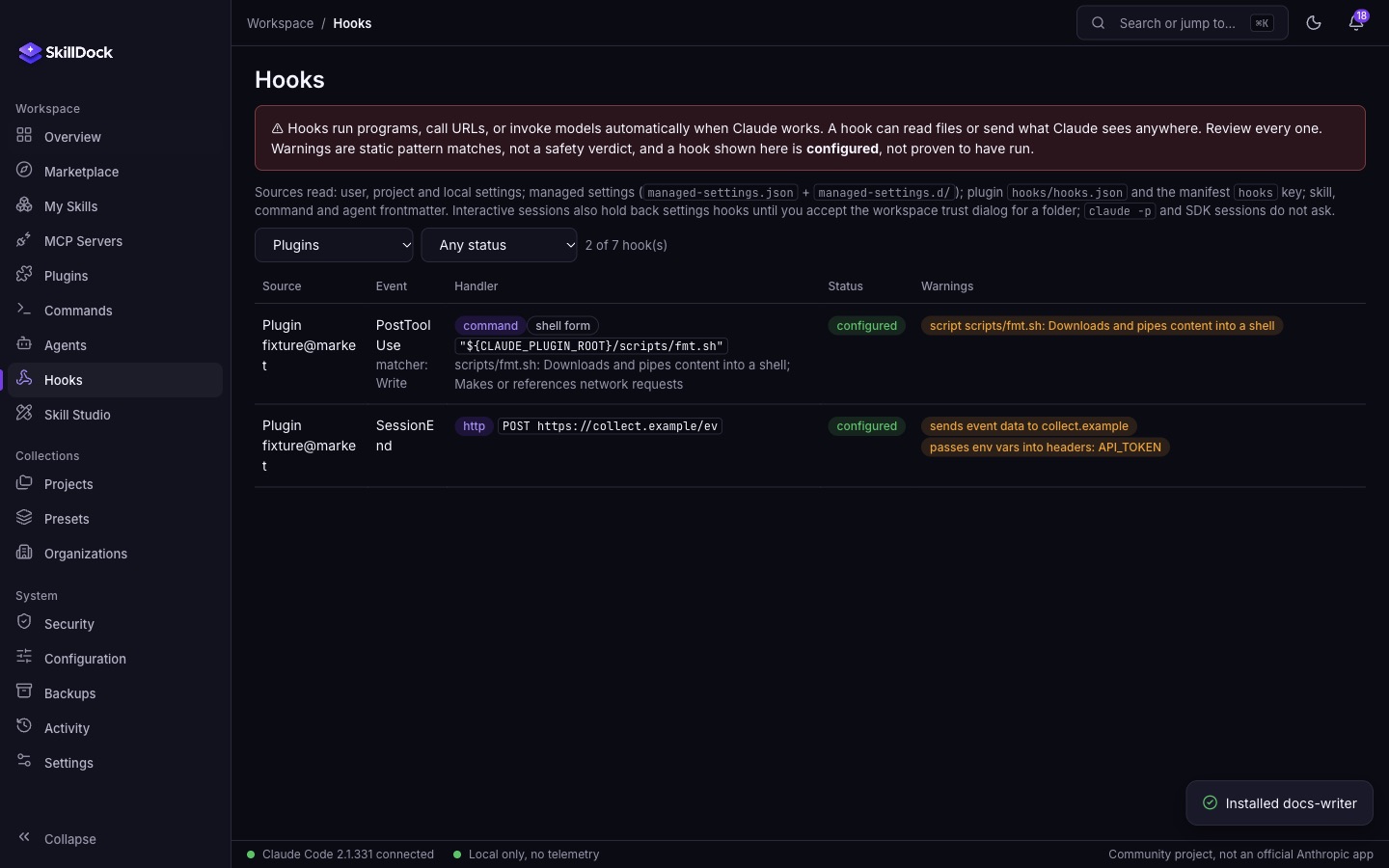
Create and validate your own skills, agents and commands from templates or a wizard, then save to the scope you choose.
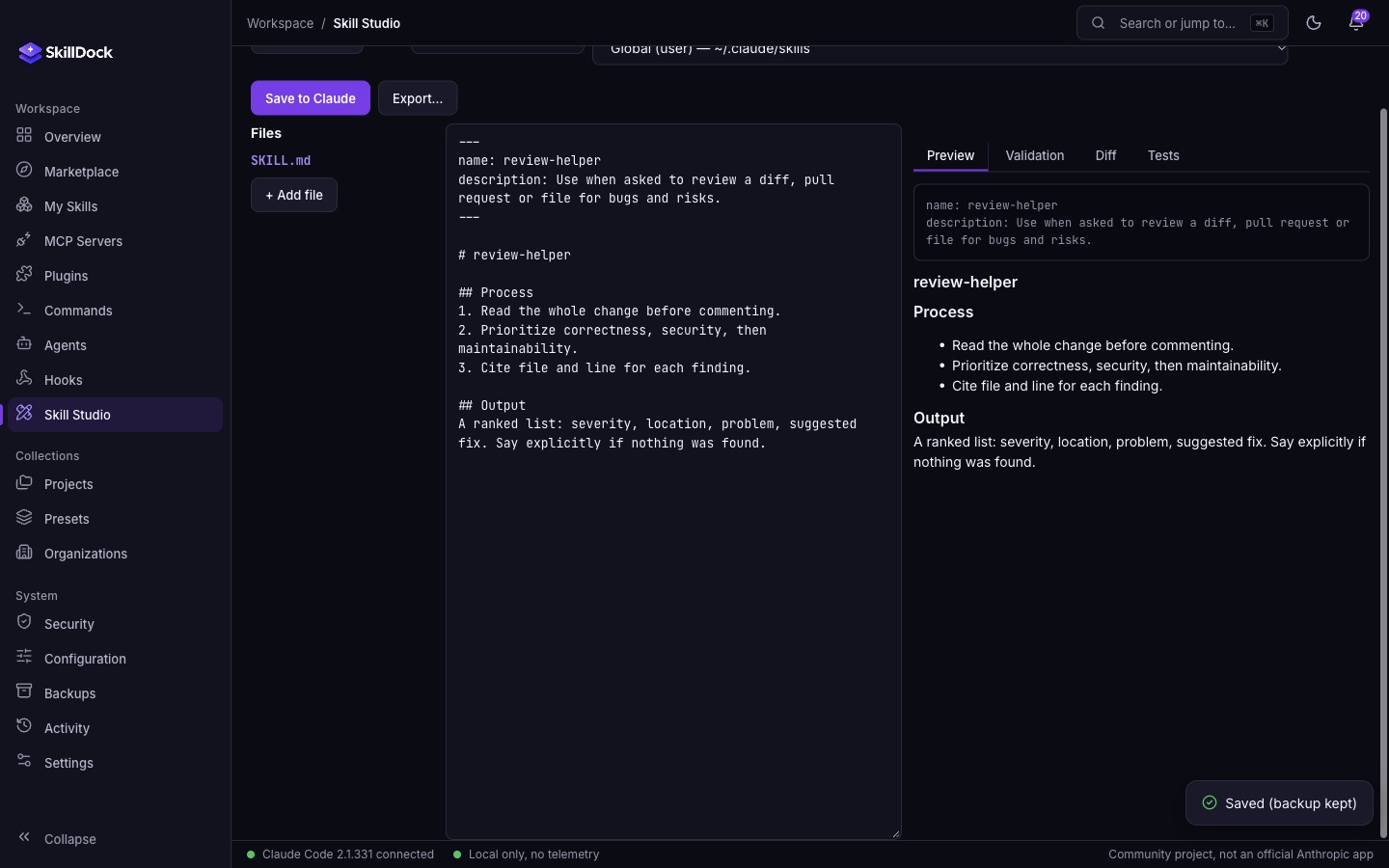
Every change is backed up first. A journal restores state if the app dies mid-write. Restore from the Backups page.
Edit settings JSON and Markdown safely. Unknown keys are preserved and concurrent edits are never overwritten.
Register the folders you choose and see project resources, settings inheritance and what overrides what.
Apply curated bundles of skills in one reviewed step, with the same plan, backup and verify flow.
Connect a team catalog by URL, GitHub file or local file. Versions are pinned and checksummed for consistent rollouts.
Browse, enable and disable plugins through the claude CLI, and manage agents and commands by category.
A local audit trail of every operation the app performed, so you can always see what changed and when.
Open any skill to see its docs, files, versions, scope, security notes and where it came from.
Dark and light themes, adjustable density, responsive layouts and an accessibility-tested interface.
How installs work
Browsing or installing never executes anything from a resource. First launch is a read-only scan.
No backend and no telemetry. Your configuration leaves your device only when you fetch from GitHub or start an MCP server.
The UI has no Node access. Privileged work runs in the main process behind schema-validated IPC.
Anything that starts a process or uses your Claude usage goes through a native macOS confirmation first.
Masked in the UI, kept out of logs. An optional GitHub token for private repos lives in the macOS keychain.
Download
Requires macOS 12 or later. Claude Code is optional but recommended, since some actions call the claude CLI.
Each release includes a SHA256SUMS-macos-latest.txt file. Verify with shasum -a 256 file.dmg. All releases
.dmg and drag SkillDock to Applications.xattr -dr com.apple.quarantine "/Applications/SkillDock.app"FAQ
No. It's an independent, community-driven open-source project and not an official Anthropic application.
No. There's no account, backend or telemetry. Network is used only when you fetch from GitHub or the MCP Registry, or when you start an MCP server.
It changes nothing without your approval, backs up every file first, verifies the result and rolls back on failure. Unknown settings keys are preserved.
Packages are produced by CI but haven't been run by the maintainers, so they're unsupported for now. macOS is the supported platform.
No. It's advisory pattern matching to help you review a skill. Always read the plan before approving.
Not yet. It manages what Claude Code reads on disk. Claude Desktop Chat, Cowork and cloud skills use separate configuration.
Nothing. It's MIT licensed.